QA Control Center for Appium Practice
The Challenge
The project needed to turn a large mobile automation suite into a portfolio-grade QA product, not just a folder of Pytest files. The target app, Appium Practice, exposes 12 visible modules plus Expand Bank flows, so the suite had to cover happy paths, negative paths, boundaries, accessibility, reliability, performance and OWASP MASVS security checks.
The main risk was operational: long mobile suites can destabilize the Android emulator. Results also needed to be reviewable outside the terminal, with screenshots, page source, logs, video manifests and downloadable reports that make the work credible on GitHub and in a client-facing case study.
The Solution
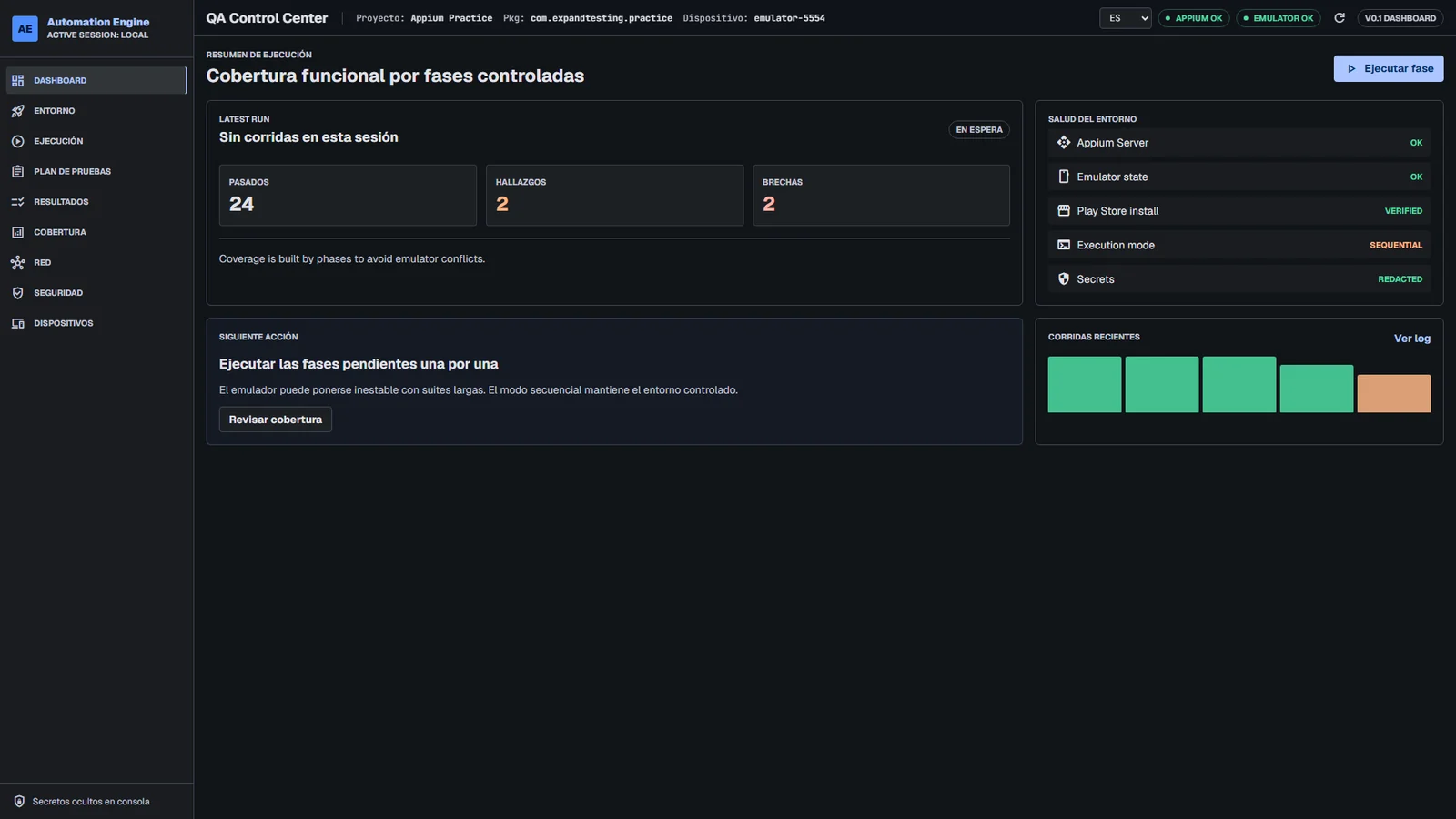
I built a local QA Control Center connected to Appium 3, UiAutomator2, Android Emulator, ADB and Pytest. The dashboard exposes environment health, Appium/emulator status, Play Store validation, sequential execution mode, recent run history and a bilingual test catalog.
- Framework logic: Pytest fixtures create the driver from explicit Android capabilities, settings are loaded from .env, and Page Objects keep locators and business actions separate from assertions.
- Execution logic: tests run by phase to avoid emulator conflicts, while the dashboard can also execute one nodeid or discover the full catalog through pytest --collect-only.
- Evidence logic: every dashboard-triggered run can generate HTML, Markdown, JSON and ZIP packages with console logs, screenshots, XML source, video manifests and per-test artifacts.
- Safety logic: the Node.js dashboard exposes only allowlisted QA actions, keeping arbitrary shell execution out of the browser surface.
Official live QA Control Center dashboard with Appium OK and Emulator OK
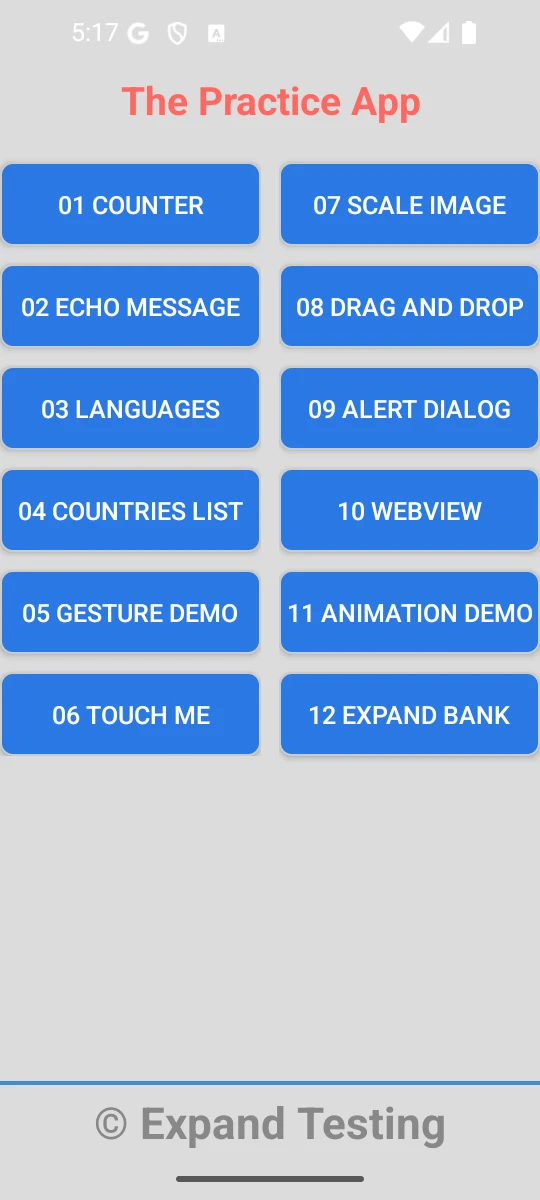
Android emulator running The Practice App used by the Appium automation suite
Impact & Results
The platform is now a complete mobile QA case study: the live dashboard shows Appium OK and Emulator OK, The Practice App is active on the Android emulator, and the catalog documents 140 Pytest-discovered tests.
Covered areas include Counter, Echo Message, Languages, Countries List, Gesture Demo, Touch Me, Scale Image, Drag and Drop, Alert Dialog, WebView, Animation Demo and Expand Bank. Bank coverage includes Auth, Make Payment, Mortgage, Expense and Boundary flows. Security coverage includes OWASP MASVS baseline plus extended black-box checks with 11 passing checks and 1 tracked xfail for Android backup exposure.